

Dental practices & groups
A front desk that answers between calls
ReplyTurbine answers patient messages in English and Spanish and offers real open times at the right office. Reminders, recall, and follow-ups run by rules you set, and anything it isn't sure about goes to your front desk.
Look around an example practice first or take the product tour. It's a made-up practice with sample patients. Your own setup waits for you.

Try it
Pick a conversation and watch what happens. Each one is the product’s own replies, recorded on an example workspace.
Visitor: Hi, I'd like to book a cleaning
Assistant: Thanks for reaching out! Are you a new or an existing patient?
Visitor: New patient
Assistant: May I have your name?
Visitor: Jordan Kim
Assistant: What is the best email or phone number to reach you?
Visitor: jordan.kim@example.com
Assistant: Here are the next open times for a new patient exam: 1) Wednesday, Nov 4, 8:00 AM 2) Wednesday, Nov 4, 10:00 AM 3) Thursday, Nov 5, 8:00 AM 4) Thursday, Nov 5, 10:00 AM. Reply with the number you'd like, or "none" if none of these work.
Visitor: 1
Assistant: Thanks, Jordan! We've requested your new patient exam for Wednesday, Nov 4, 8:00 AM at Desert Bloom, Suite 200. The office will confirm it with you shortly; it isn't final until they do.
What your team sees
- Appointment requested: New patient exam, held until the office confirms it
- Lead saved with every answer
- Tagged: new patient
Recorded from ReplyTurbine running on an example single dental practice with made-up people and a fixed date, so the times shown are from the recording. Nothing here is sent anywhere. Your own hours, offices, wording, and rules apply.
Works with
Built in needs nothing connected; the rest shows where each one stands today. Is my system supported?
Built in
- Online booking page
- Built-in scheduler
- Visit links
- Review page
- Reminders by email
Works today
- Website chat
- Any email inbox
- Your website's contact form
- Slack
- Google Chat
- Zapier and Make
In testing
- NexHealth
- Dentrix (sync agent)
- Gmail
- Microsoft 365
- Google Calendar
- CallRail
- RingCentral
- Aircall
- Twilio texting· your own account
- Facebook Messenger and Instagram
What it handles
Fill the schedule
New patients and appointment requests
Which office, new or existing patient, and the reason for the visit. Checkups and consultations are offered real open times at that office.
Booking rules you set
Choose how much notice a booking needs, from an hour to a week. A patient with 2 or 3 missed visits in a year gets a request your team confirms.
A waitlist that can't double-book
When a time frees up, matching patients get an offer that expires. The first yes is booked, and the others are told it was taken.
Missed calls get a text back
The caller can reply by text instead of calling again, and a callback opens on the Front desk. Texts use your own texting account, which is in testing.
Keep the schedule
Reminders patients can answer
A text two days before the visit and a heads-up on the day. A “yes” marks the visit patient-confirmed.
Changes wait for your team
A request to move or cancel goes to the front desk as a task. The visit stays booked until your office confirms the change.
No-shows and cancellations
A kind check-in an hour after a missed visit, and one more the next business day. A patient who cancels is offered a new time.
Urgent problems
Pain, swelling, or an injury gets your practice's urgent instructions and an immediate callback task. The assistant never diagnoses.
Bring patients back
Recall
Up to three invitations, starting three weeks before the due date. Each one stops when the patient books.
Patients you haven't seen in 18 months
A separate, gentler series: three notes over about a month. It stops when a visit is confirmed.
Unscheduled treatment
Check-ins that never name the treatment, and a year-end note before many plans' yearly benefits reset. A reply pauses them and goes to your team.
Your biggest cases
Invisalign, porcelain veneers, dental implants, and All-on-X each have their own follow-up, so the words and the pace fit the decision.
A reply 15 minutes after the inquiry
Inside your sending hours. Then what to expect at the consultation, and check-ins over about a month.
When a consultation is booked
Your treatment coordinator is told and gets a task to call before the visit. The patient gets one text about what to bring.
After the consultation
A thank-you, help deciding, and a no-rush check-in. Patients who asked to wait hear from you after one, three, and six months.
Aftercare where any reply goes to a person
Check-ins after implant surgery, aligner delivery, and veneers, started by a teammate. The assistant steps back the moment the patient answers.
The Big cases report
People who asked, booked a consultation, came to it, and accepted treatment, for each kind of case. It lists who is still open at each step.
Run the day
The Front desk, every morning
One screen per office: urgent items, confirmations, callbacks, new patients, changes, recall, and missed calls. A morning hand-off lists what came in overnight.
Patient at a glance
Next visit, recall due, open treatment plans, tasks, and missed visits in the last year. It shows the moment a patient calls or writes.
Results
What ReplyTurbine did this month, counted from your own records: visits booked, confirmed, and recovered. Each number says how it is counted.
Before real patients
A checklist of what has to be true first, such as a test run passed and an agreement on record. Every item is read from saved data, never from a click.
Automations you can read and test
Each one reads as a short story of what it does and what patients get. Replay shows what it would have sent over your recent history; nothing is sent.
Insurance and billing, kept straight
Accepting a plan isn't confirming coverage, and an estimate isn't a bill. Only your staff verify benefits, and member numbers never go in chat.
Reports by office
No-shows rebooked, recall visits booked, and openings filled. One set of definitions for every office.
How each part is set up: help for dental practices & groups.
What your patients see
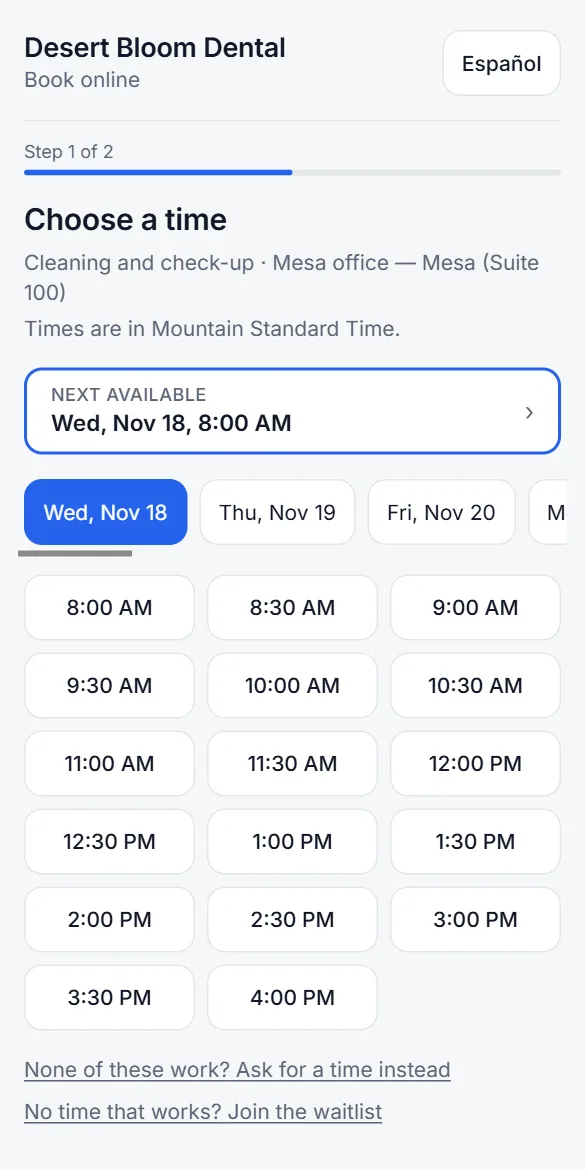
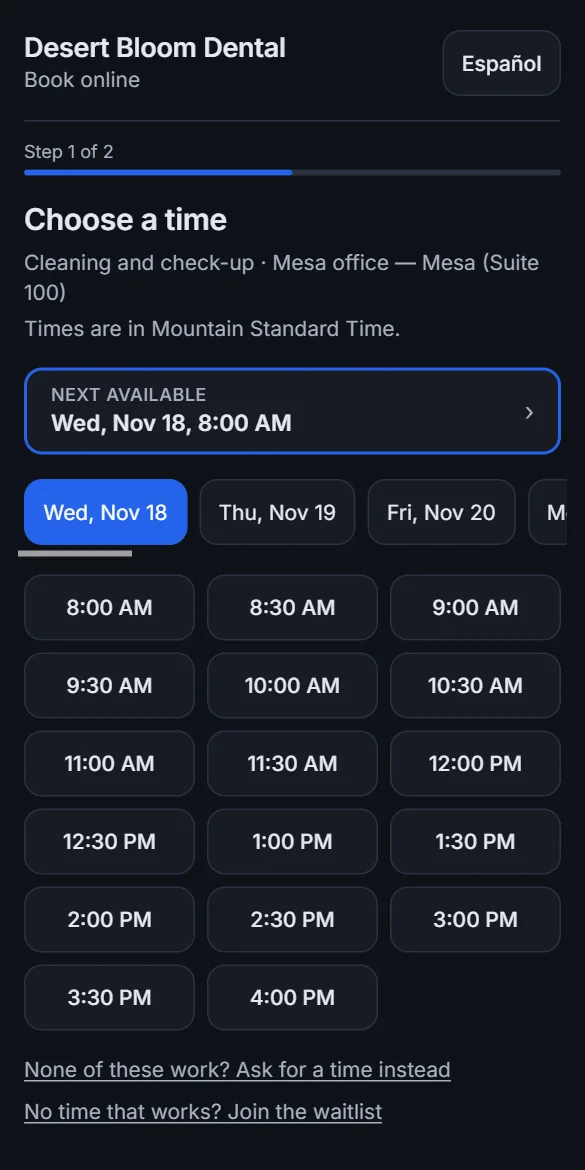
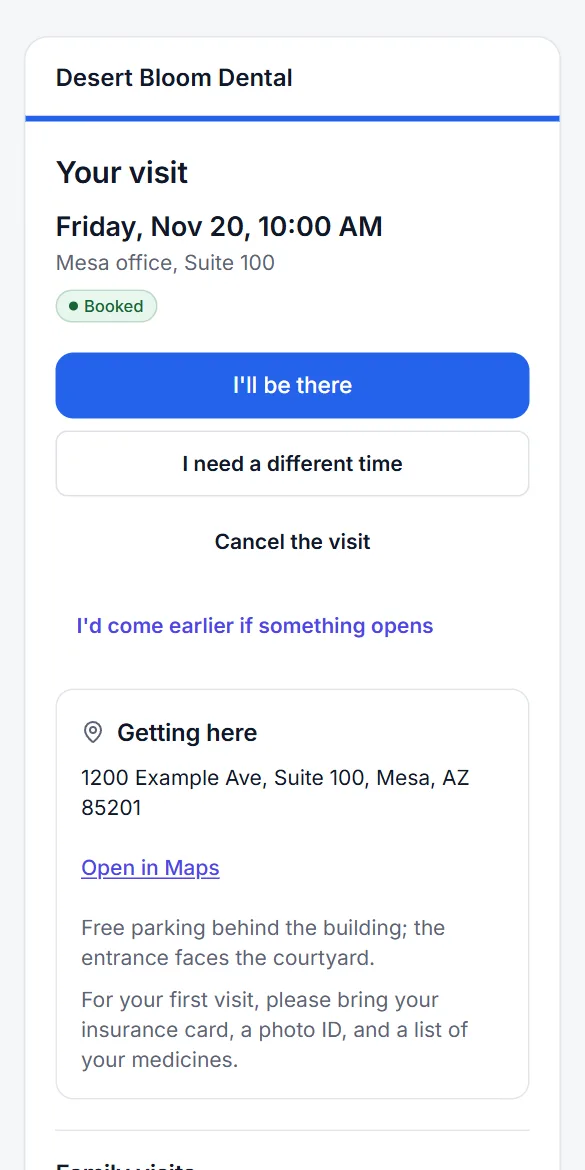
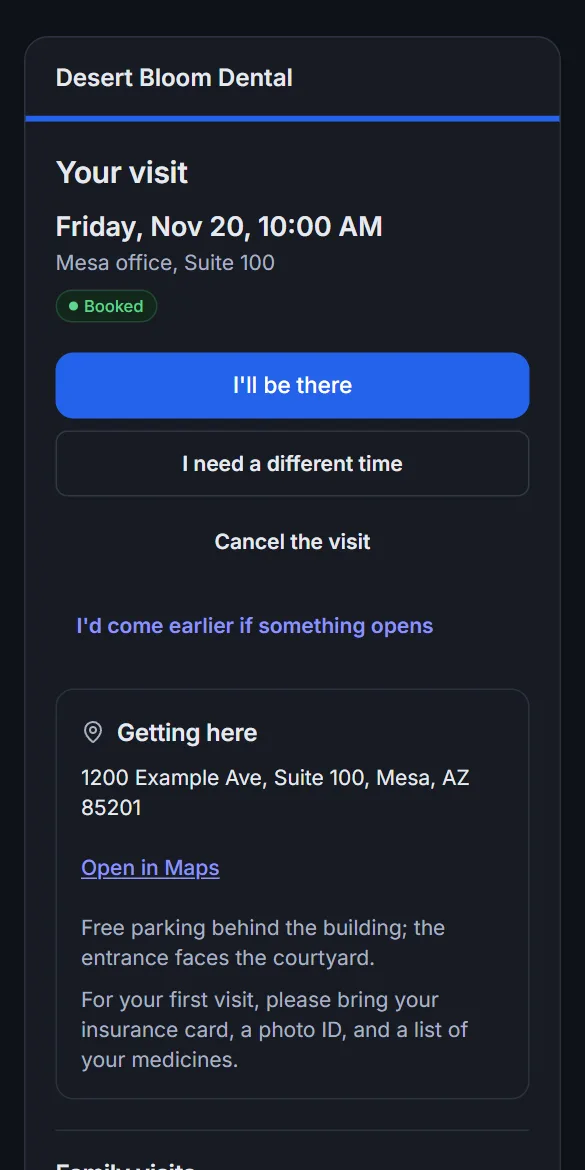
The pages and texts a patient gets, with your practice’s name, logo, and color on them. Shown here on a made-up practice with sample patients.
Sample practice
Your booking page
Real open times, a time held while they finish, in English or Spanish.
Sample practice
The visit link
Confirm, pick a new time, or cancel, with directions and your own arrival note.
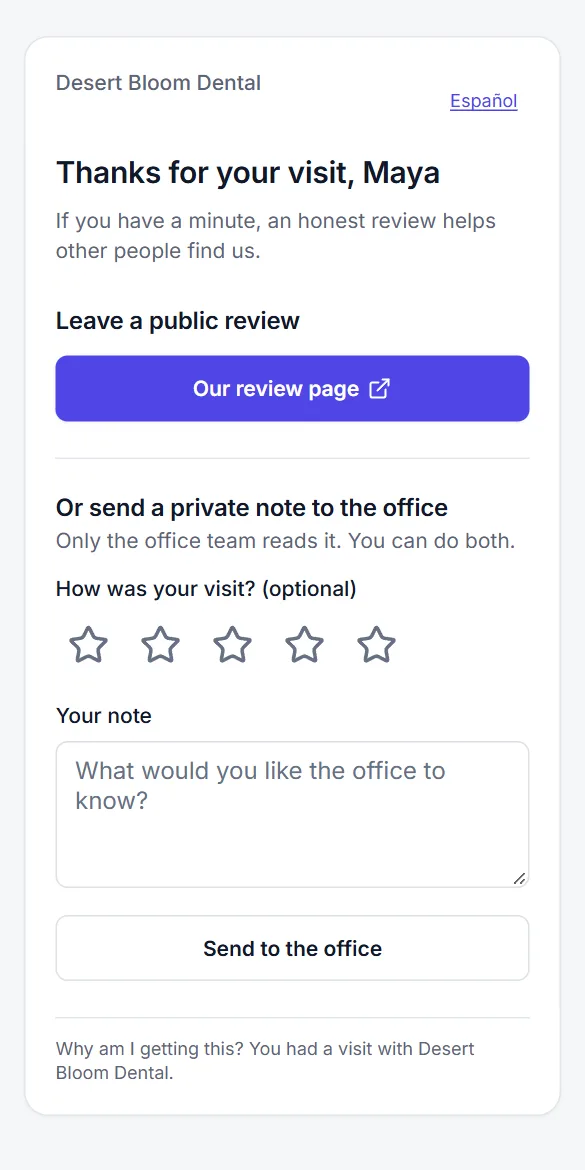
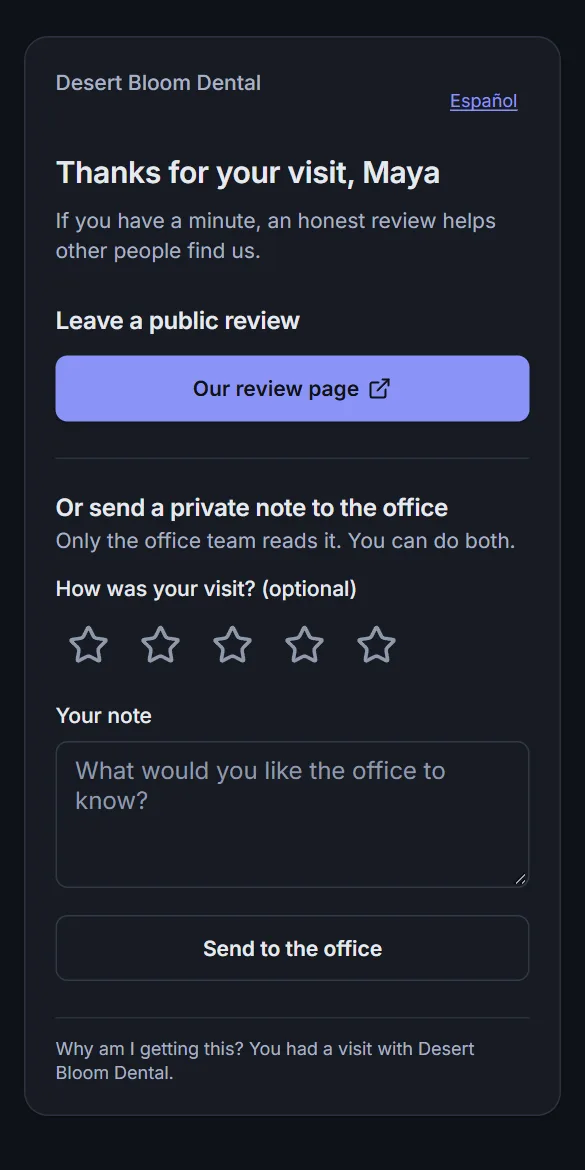
Sample practice
After the visit
Your review sites first, and a private note to the office for anything else.
Desert Bloom Dental
Text message
- Hi Maya, this is Desert Bloom Dental: a reminder of your visit Friday, Nov 20, 10:00 AM at Mesa office, Suite 100. Reply YES to confirm, or reply here to change it. Or use this link: https://replyturbine.com/v#… Reply STOP to opt out.
- YES
- Thanks, Maya, you're confirmed for Friday, Nov 20, 10:00 AM. See you then!
Sample text
The reminder
Two days before: a YES confirms the visit, and a change goes to your front desk.
Texts need your own texting account, which is in testing. How each page works: the booking page and the visit link.
Your front desk today, and with ReplyTurbine
Four ordinary situations, and what changes in each.
After hours
TodayMessages and web forms wait until someone is back in the morning.
With ReplyTurbineThe patient gets an answer and can pick a real open time. The request is on the Front desk when you open.
The lunch rush
TodayCalls ring out while the desk is with the patients in front of it.
With ReplyTurbineA missed call opens a callback on the Front desk. With your texting account connected, the caller gets a text and can reply instead of calling again.
A 2 pm cancellation
TodaySomeone works down the waitlist by phone, if there is time.
With ReplyTurbineMatching waitlist patients get an offer that expires. The first yes is booked, and the others are told it was taken.
A patient who missed two visits
TodayThey book again like anyone else, and the chair may sit empty again.
With ReplyTurbineThey still pick an open time, but it becomes a request your team confirms. They are only told the office will confirm it.
A day with it
An ordinary day, from the evening before to closing time. Every step is something it does today.
9:40 pm
A swollen jaw, in Spanish
The patient gets your urgent instructions in Spanish, and a callback task is waiting at the top of tomorrow's Front desk.
11:15 pm
A new patient wants a cleaning
They pick a real open time at the office nearest them. Your front desk confirms it in the morning, or your linked practice system confirms it right away.
7:00 am
The morning hand-off
Each office sees what came in overnight: new requests, urgent callbacks, and anything still missing details.
8:30 am
A patient answers a reminder
Their “yes” marks the visit patient-confirmed, and it comes off the front desk's call list.
10:20 am
A 2 pm cancellation
Matching waitlist patients get an offer that expires. The first yes is booked, and the others are told the time was taken.
12:30 pm
A missed call over lunch
It lands on the Front desk. If the caller has an unscheduled treatment plan, the coordinator is told the call may be about it.
4:00 pm
Recall for next month
Invitations go out or wait for approval, as you chose, and each one stops when the patient books.
What it never does
- Diagnose or interpret symptoms
- Confirm coverage or a patient's cost
- Name a treatment in a text
- Ask for insurance ID, card, or Social Security numbers in chat
- Anything it isn’t sure about goes to your team, with the reason shown.
Patient information: before using chat or texts with patients, talk to us about business associate agreements. We don't claim HIPAA compliance or any certification.
Connections
Where each one stands today.
- Website chatPaste one snippet into your site, or your site builder's custom-code box.Available
- EmailAny mailbox through IMAP/SMTP. Gmail and Microsoft 365 sign-in are going through Google's and Microsoft's app verification.Available
- Texts and missed-call text-backUses your own Twilio account and number registration. In testing.Needs your account
- Phone systems: CallRail, RingCentral, AircallMissed calls and voicemails arrive with the caller's open records. Not yet verified with a live account.In testing
- Practice-system scheduling through NexHealthBookings, reschedules, and recall due dates. Tested against NexHealth's published API; not yet with a live practice.In testing
- Dentrix sync agentA small read-only program on your office server sends appointment times, and patient names, phone numbers, and email addresses only if you choose that level. Tried with made-up data only; not yet run against a live Dentrix server. Dentrix Ascend isn't connected.In testing
Checked on this page; nothing you type is sent.
What missed calls could be worth
Put in your own numbers. Nothing you type leaves this page.
The first two numbers are examples to start from, not benchmarks. Change them to yours, and type what one is worth to you to see it in dollars.
On those numbers, missed calls hold about
13 would-be patients a month
Type what one is worth to you to see a dollar figure.
Calls a week × the share who wanted to go ahead, over a month (4.33 weeks). It’s arithmetic on your numbers, not a forecast or a promise of results: it assumes everyone in that share would have gone ahead had someone answered.
What an overdue hygiene list adds up to
Put in your own numbers: the fields start empty, and nothing is worked out until you type. Nothing you type leaves this page.
Your numbers, not a forecast. This is arithmetic on what you typed, with no figures of ours: it assumes everyone in your share books and comes, and it isn’t a promise of results. A dollar figure is shown only when you type your own value per visit.
Questions owners ask
Does it book straight into our practice software?
With NexHealth linked (in testing today), a booking counts as confirmed only once your practice software has it. If that fails or takes more than 15 minutes, it becomes a request your team confirms. Without a link, every booking is a request your front desk confirms.
We use Dentrix. What works today?
The Dentrix sync agent, which is in testing. It is a small read-only program on your office server that sends your schedule, so times taken in Dentrix aren't offered. Patient names, phone numbers, and email addresses are sent only if you choose that level. It has been tried with made-up data only, not yet against a live Dentrix server. Reading the Dentrix database directly needs licensed access from Henry Schein One's Dentrix Developer Program. Dentrix Ascend isn't connected.
What happens when a patient replies to a reminder?
A yes marks the visit patient-confirmed. A request to move or cancel goes to the front desk as a task, and the visit stays booked until your office confirms the change.
How do the follow-ups for big cases work?
Someone who asks about Invisalign, veneers, implants, or All-on-X gets a reply 15 minutes later, inside your sending hours, then what to expect at the consultation and check-ins over about a month. Texts never name the treatment, and questions go to your treatment coordinator.
What happens with urgent problems after hours?
The patient gets your practice's urgent instructions and a callback task is created right away. The assistant never diagnoses or interprets symptoms.
Can it answer insurance questions?
It can say which plans you accept, from what you've told it. It never confirms coverage or what a patient will pay, and never asks for member IDs or card photos in chat. Your staff verify benefits.
Does it work in Spanish?
Yes. Patients can write in English or Spanish and are answered in their language.
Will messages go out without us?
Only where you allow it. The starter automations are added as drafts, switched off, with each message waiting for approval. Recall invitations and waitlist offers can each be drafted for approval, sent, or turned off, and for each channel the assistant can answer, draft, or stay out.
We have several offices. Does that work?
Yes. It works out which office a message is about and asks when it isn't clear. Each office has its own Front desk and can have its own morning hand-off hour.
What does it cost?
We go through plans on a walkthrough, once we know your offices and channels.
How your data is handled
- Encrypted in transit, and the credentials for your connections encrypted at rest.
- Your workspace is kept separate from every other business's.
- Card numbers, passwords, and keys typed into a message are removed before it's stored.
- Require two-step sign-in for your whole team, and sign people out after a period of inactivity.
- An audit log of who changed what and who opened which records, which you can download.
- Choose how long conversations are kept, export your workspace's data, or delete it. When a customer asks, download or delete everything you hold about them.
- Follow-up campaigns to patients run only on sample records until a signed business associate agreement is on record.
- Insurance and ID details can go to your own secure form instead of chat.
- We don't claim HIPAA compliance or any certification; talk to us about a business associate agreement.
The details are in how patient information is handled and our privacy policy.
See it with your own questions
Tell us about your business and we’ll set up a walkthrough, or create a workspace and try it in the playground first.
Look around an example practice first or take the product tour. It's a made-up practice with sample patients. Your own setup waits for you.