

Results: what ReplyTurbine did
The outcomes ReplyTurbine produced for your practice, counted from your own records.
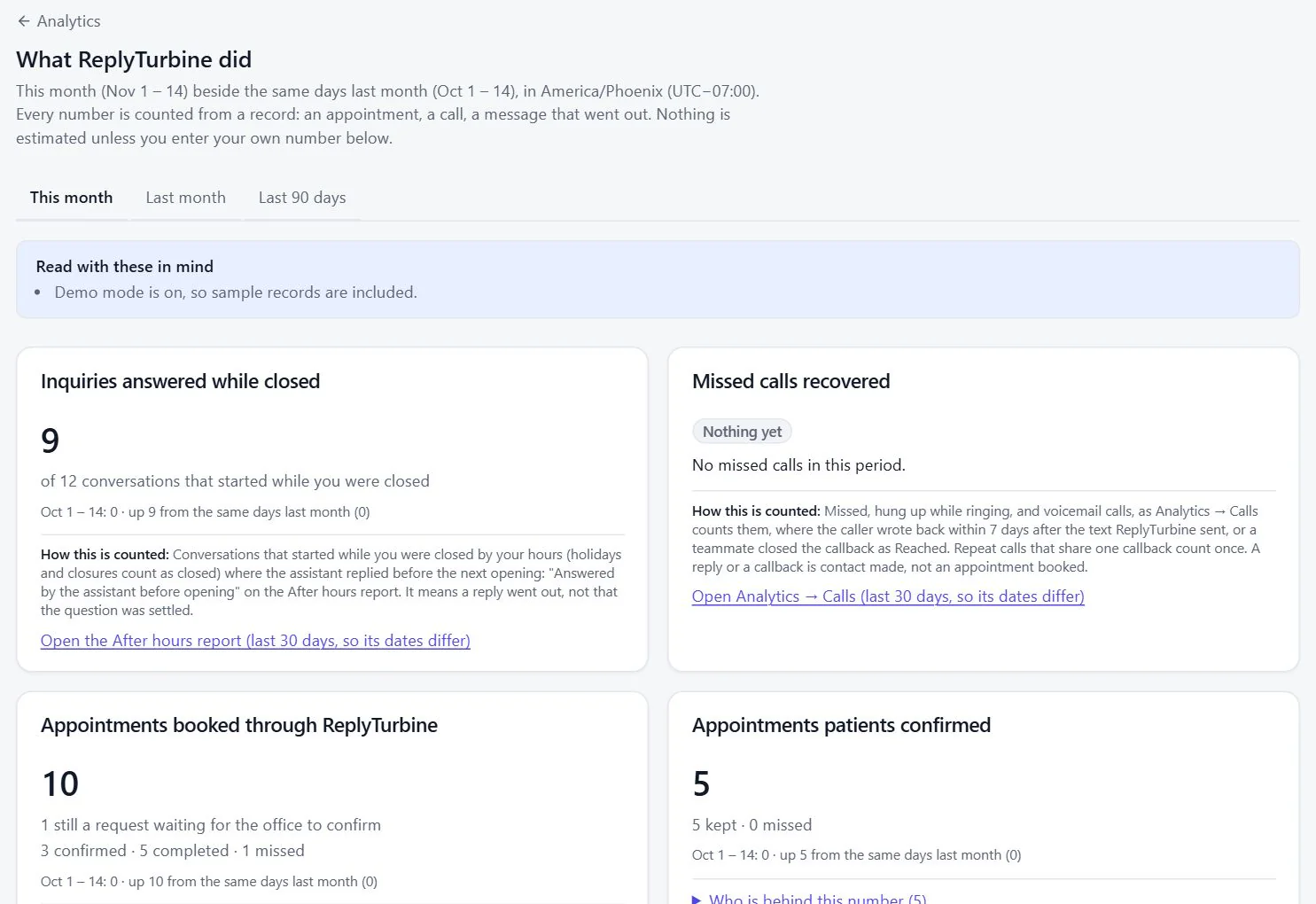
- Open Reports → Results and pick this month, last month, or the last 90 days. Each number is shown next to the period before.
- It counts conversations answered while you were closed (a reply that went out, not a draft), missed calls recovered, visits booked through ReplyTurbine (confirmed, kept, or missed; requests still waiting show under the number), and visits patients confirmed.
- It also counts visits recovered after a no-show or cancellation, patients brought back, big-case consultations booked, open times filled from the waitlist, and reviews asked.
- Each number says how it is counted and links to the report it comes from. Nothing is estimated.
- Chair hours filled shows how much of your chairs' open hours visits held in the period (from each chair's hours in Settings → Booking, less holidays, closures, and blockouts), and how many of those hours came through ReplyTurbine, by source. Each visit counts once. Hours only, never dollars.
Good to know
- Chair hours need each chair's (or provider's) working hours in Settings → Booking → Providers, chairs, and visit types; until then the card says so instead of showing 0%.
- The same visit can count in more than one place: a waitlist booking is also a booking. Each outcome says so.
- You can add your own value per visit for an estimate. Without one, no money is shown.
Was this helpful?
Still stuck? Talk to us, or see what changed lately.